How to Implement Edge-Cloud Privacy for AI Agents Using Local Reversible Pseudonymization
Introduction
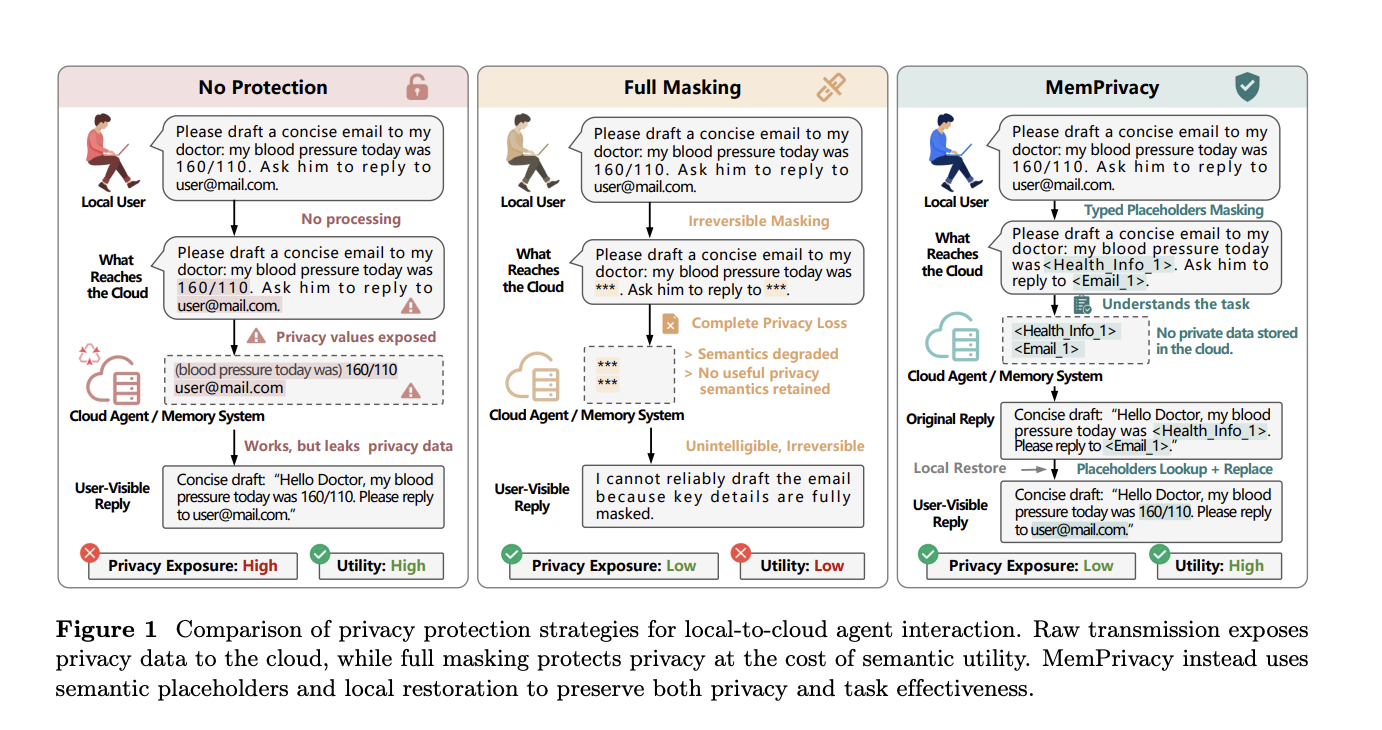
As AI-powered agents become more mainstream, a critical tension emerges: the more useful cloud-hosted memory becomes, the more private user data it exposes. Sensitive information like health conditions, email addresses, financial figures, and passwords often ends up in cloud systems where it can be vulnerable to attacks. Researchers from MemTensor (Shanghai), HONOR Device, and Tongji University have developed a framework called MemPrivacy that resolves this tension. Instead of masking data (which destroys meaning) or using complex cryptographic methods, MemPrivacy uses local reversible pseudonymization. This guide walks you through the step-by-step process of implementing this framework to protect user data without sacrificing the utility of personalized memory.
What You Need
- An edge device (e.g., smartphone, smart speaker) capable of running a lightweight AI model
- A cloud-hosted large language model (LLM) for memory management and reasoning
- A secure local database or key-value store to hold original-to-placeholder mappings
- A privacy-sensitive span detection model (e.g., a fine-tuned BERT or rule-based NER system)
- API infrastructure to pass desensitized text between edge and cloud
- Basic understanding of edge-cloud architectures and data flow
Step-by-Step Implementation Guide
Step 1: Deploy a Lightweight On-Device Model for Sensitive Data Detection
Install a small, efficient AI model on the user’s device that can identify privacy-sensitive spans in text. This model should be optimized for low latency and low power consumption, such as a distilled version of a named entity recognition (NER) system. The model runs locally before any data leaves the device. It scans raw user input (e.g., conversations with the AI agent) and flags spans that contain personal information like names, addresses, health data, financial numbers, or passwords.
Step 2: Classify Detected Spans by Type and Sensitivity Level
Once potential sensitive spans are identified, classify each one into a predefined category (e.g., Health_Info, Email, Password) and assign a sensitivity level (e.g., high, medium, low). This classification is crucial for generating appropriate typed placeholders. For example, a blood pressure reading might become <Health_Info_1>, while an email address becomes <Email_1>. The classification can be done using the same on-device model or a separate lightweight classifier.
Step 3: Replace Sensitive Spans with Typed Placeholders and Store Mappings Locally
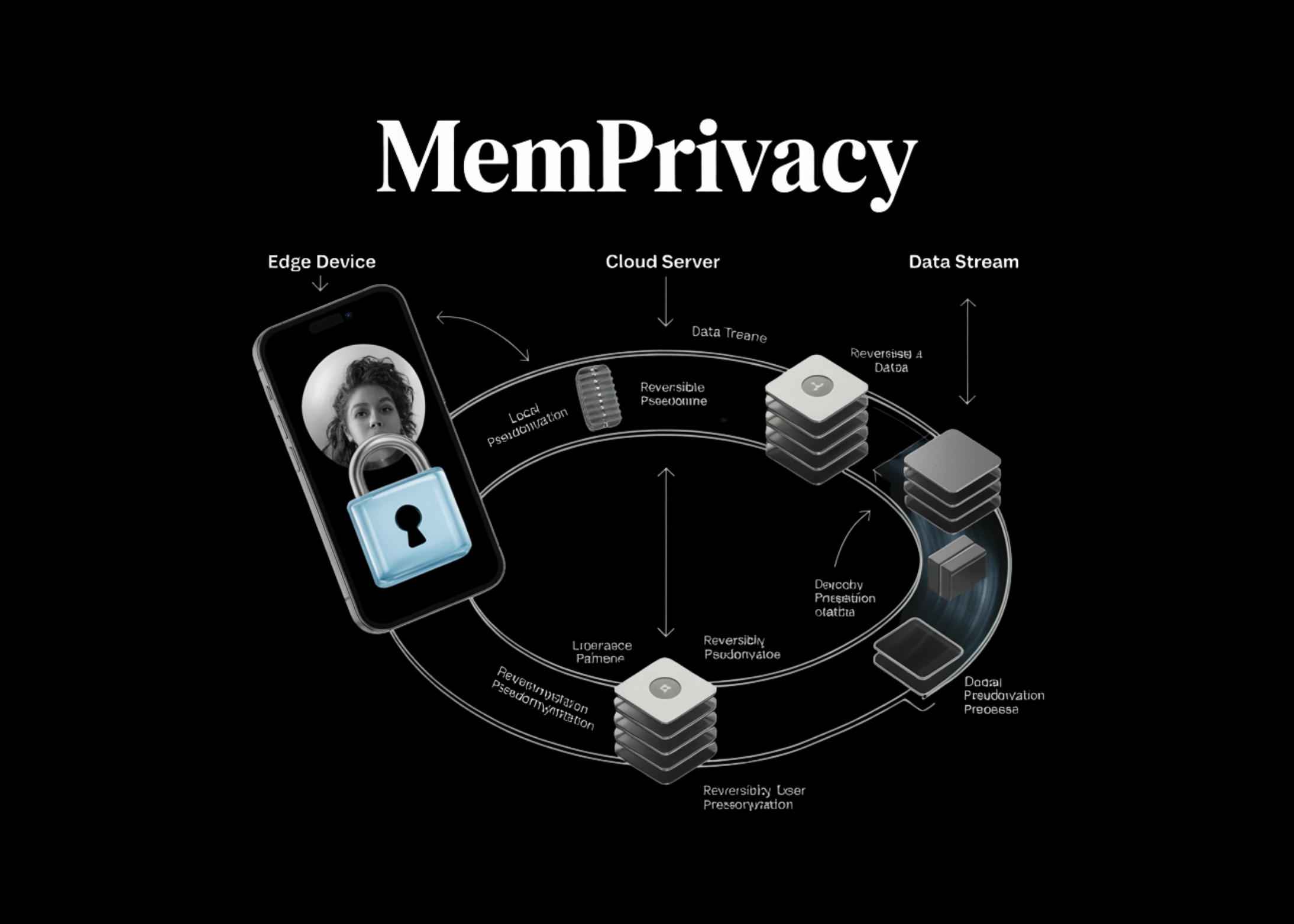
Replace each flagged sensitive span with a unique, typed placeholder token like <Health_Info_1> or <Email_1>. The original text is transformed into a desensitized version where all private data is replaced. Simultaneously, store a mapping from each placeholder to the original value in a secure local database on the edge device. This database must be encrypted and accessible only by the local substitution module. The mapping persists for the duration of the user session or longer if needed for memory recall.
Step 4: Send Desensitized Text to the Cloud for Memory Processing
Transmit the desensitized text to the cloud-hosted LLM. Because the text now contains semantic placeholders (e.g., <Health_Info_1>) instead of masked-out values (like ***), the cloud model can still understand the context and meaning. For instance, it knows that a placeholder refers to health information without knowing the actual value. The cloud model can thus perform memory storage, reasoning, and response generation normally. No raw user data ever reaches the cloud—only structured tokens.
Step 5: Receive Cloud Response and Substitute Placeholders Back to Original Values
When the cloud returns a response that contains placeholders (e.g., in a generated sentence referencing <Email_1>), the local device intercepts the response. It looks up each placeholder in the secure local database and replaces it with the original value. The user then sees a fully coherent, personalized response with real data. This substitution happens entirely on the edge, so the cloud never sees the actual private information at any point. If the cloud does not reference any placeholder, the response passes through unchanged.
Step 6: Manage Multiple Sessions and Long-Term Memory (Optional)
For agents that maintain long-term memory across sessions, ensure the local database persists mappings with expiration policies or user consent. You can also implement incremental updates: when new sensitive data appears in a future conversation, generate new placeholders and store additional mappings. The cloud continues to see only placeholders even as memories accumulate. This allows the agent to recall past interactions without exposing raw data.
Tips and Best Practices
- Secure the local database: Use encryption at rest and in transit. Restrict access to the substitution module only. Consider using hardware-backed security (e.g., TEE) if available.
- Handle overlapping or nested spans: If sensitive information appears in sequence (e.g., “email is john@example.com”), treat each as separate placeholders or define a nested hierarchy.
- Test with diverse data: Validate the detection model on a wide variety of sensitive content to minimize false negatives (missed sensitive data) and false positives (unnecessary placeholders).
- Monitor cloud performance: Ensure that placeholders do not degrade the cloud model’s reasoning ability. In practice, typed placeholders preserve enough context for most tasks.
- Comply with regulations: This approach aligns with data minimization principles (GDPR, CCPA). Document the architecture for audits.
- Plan for fallback: If the local model fails to detect sensitive data, implement a secondary check (e.g., rule-based rules) or fail gracefully.
- Consider differential privacy: For additional protection, combine with local differential privacy mechanisms on the placeholders’ types or frequencies.
By following these steps, you can deploy an AI agent that leverages the power of cloud memory while keeping user data safely on-device. MemPrivacy’s local reversible pseudonymization offers a practical balance between privacy and utility—a must for production-ready AI assistants.
Related Articles
- Mastering Mactracker: Your Complete Guide to Apple Product History
- How to Harness the Technology Radar for Safe and Effective AI Development
- Why the US-Iran Conflict Reveals the Limits of Sanctions as a Weapon
- How to Receive Your Trump Mobile T1 Phone: A Step-by-Step Guide for Pre-Order Customers
- Safari 26.5 Unveiled: New CSS Powers, SVG Improvements, and Bug Fixes
- Swift 6.3 Unleashes Unified Build System: Cross-Platform Development Gets a Major Upgrade
- Designing Accessible Websites: A Practical How-To Guide for Recognizing and Fixing Exclusion
- 7 Key Enhancements in Ubuntu's Snaps Permission System You Must Know